Overview
Operation Null Mind is a 2D top-down shooter with roguelike elements, developed in C utilizing the SDL2 framework.
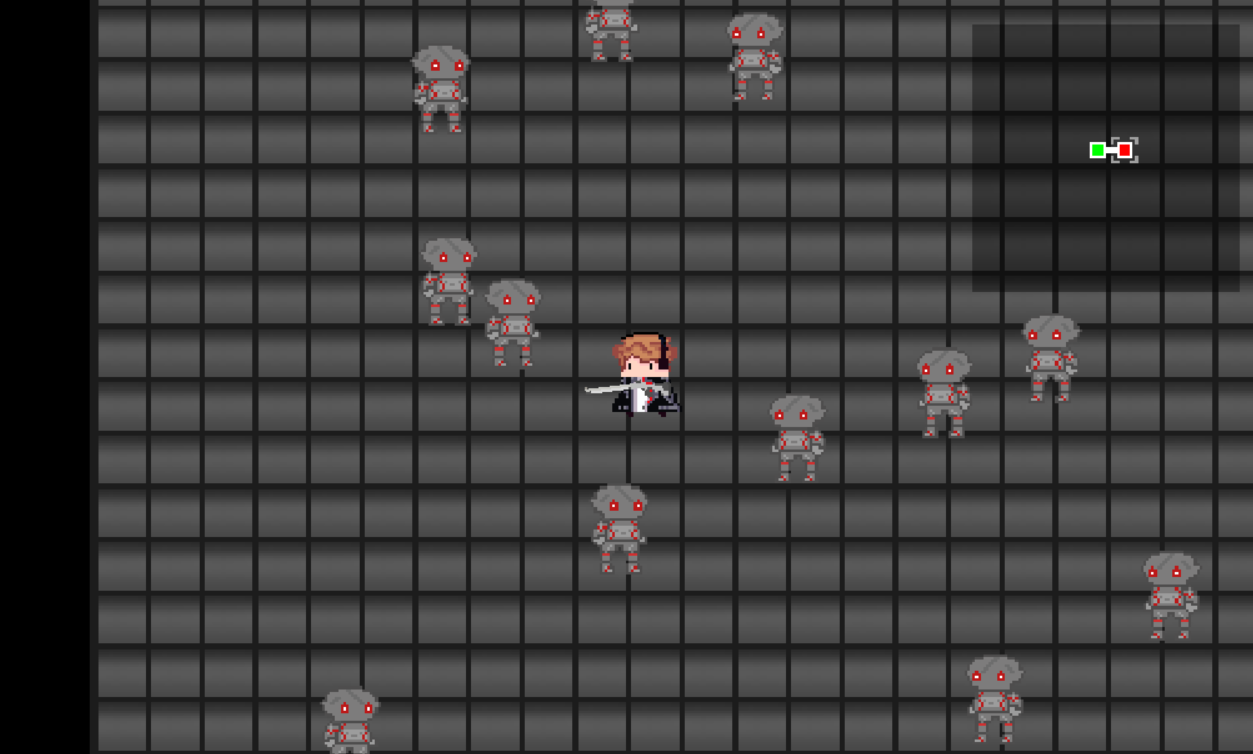
Gameplay
This comprehensive documentation aims to provide developers with a detailed understanding of the codebase architecture, including:
- Project structural organization
- Application execution flow and lifecycle
- Critical global variables and state management
- Core algorithms, data structures, and implementation details
This documentation is designed to facilitate efficient navigation and comprehension of the codebase for both new and experienced contributors to the project.
Navigating This Documentation
This documentation is generated using Doxygen and offers several navigation methods:
- Table of Contents: Navigate through this page through this table of contents
Table of Contents
- Class List: View a list of all the structs in the project
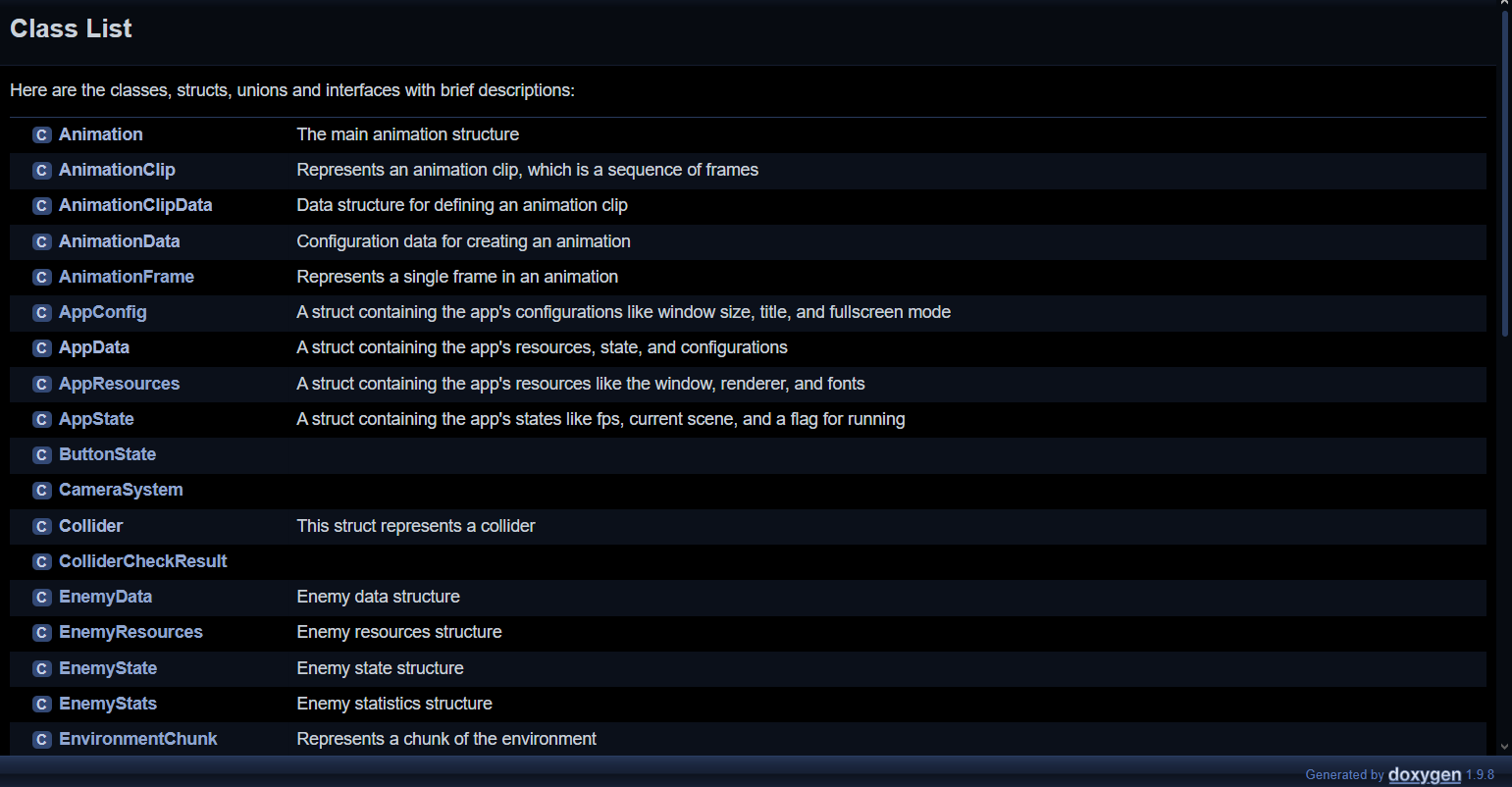
Class List
- File List: View a list of all the files in the project
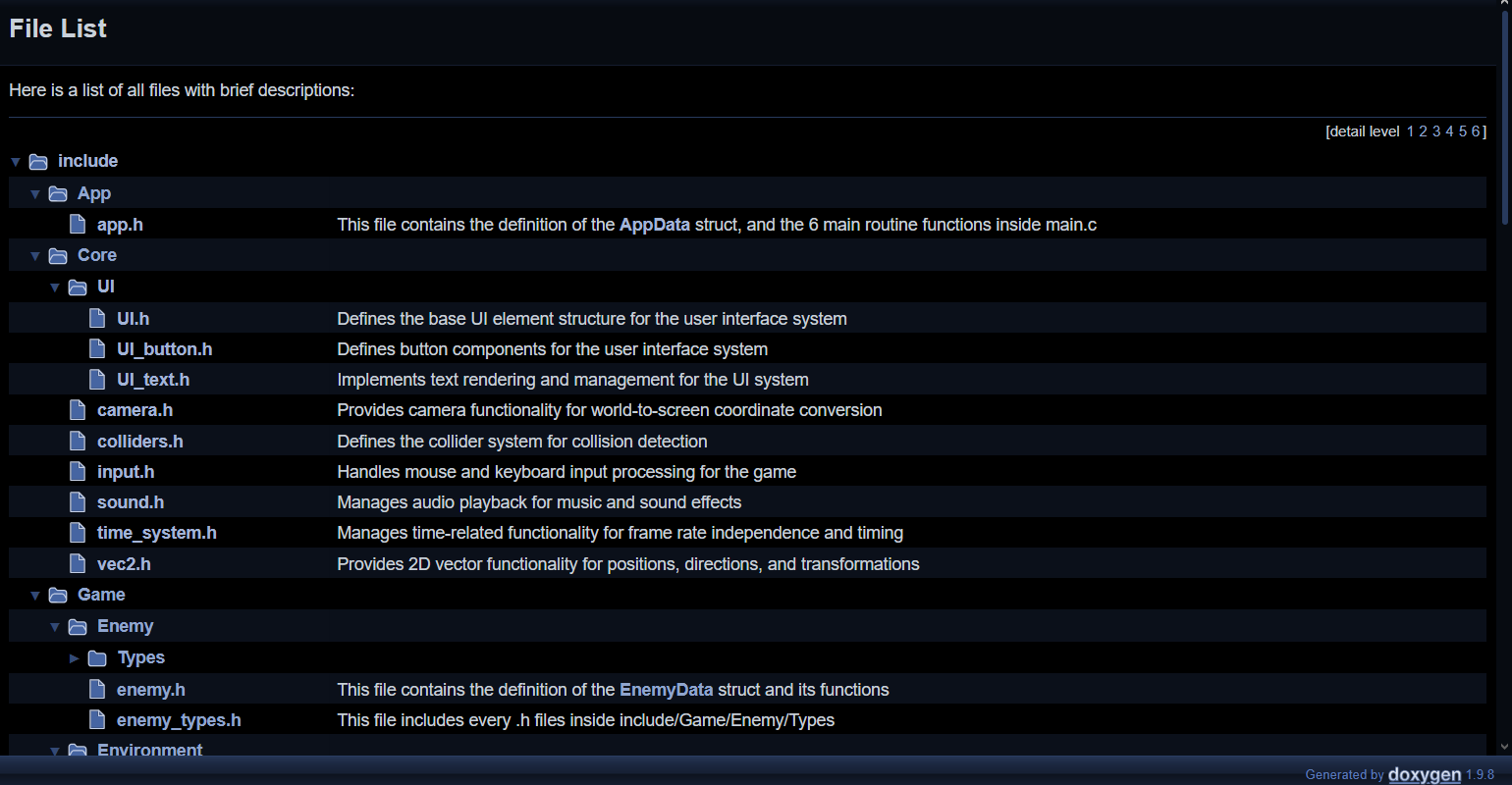
File List
- Search Function: Use the search box in the upper right corner to find specific elements

Search Box
Note: The "All" search option in Doxygen is not really good. You may have to adjust the search categories like this.
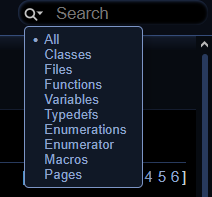
Search Issues
- Index: View an alphabetical list of all the elements in the project
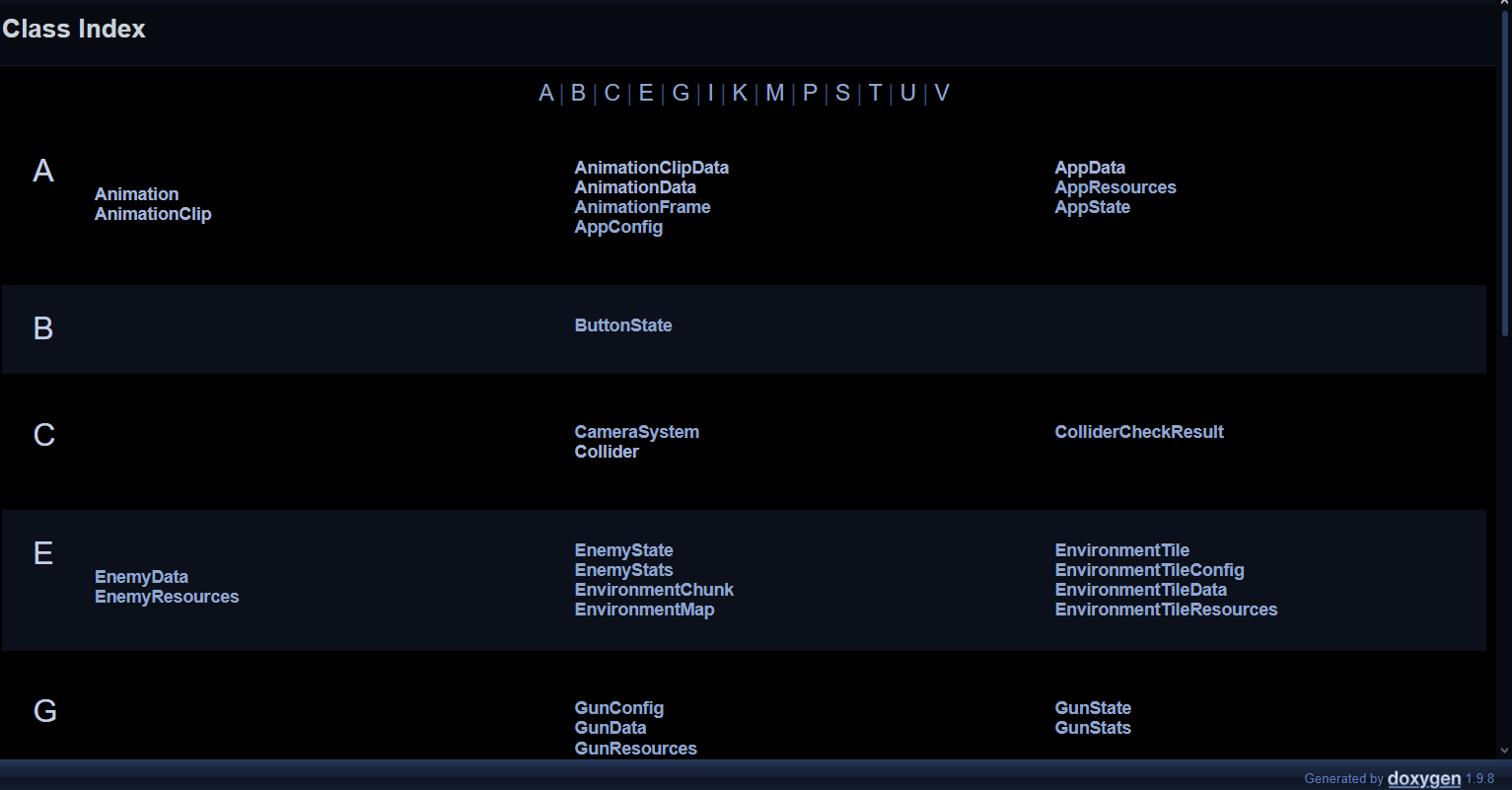
Index
- Function Index: View an alphabetical list of all the functions in the project
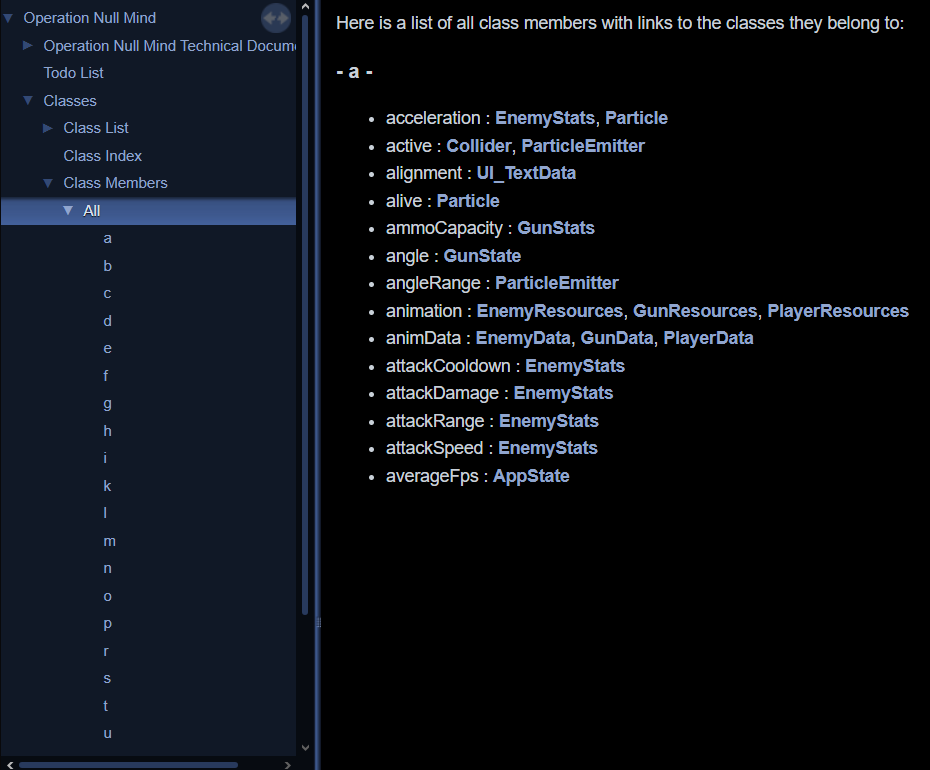
Function Index
- Breadcrumbs: Use the breadcrumbs at the bottom of the page to navigate back to the main page
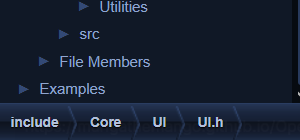
Breadcrumbs
Project Structure
The project is organized into several directories, each with a specific purpose:
/Assets -> Contains images, sfx, music, ...
• All game resources are stored here
• Organized by resource type (images, sounds, fonts)
• Assets are loaded at runtime by the respective systems
/include -> Contains header (.h) files
/App -> Application headers for game loop management
/Core -> Core system headers (vectors, time, etc.)
/Game -> Game mechanics headers (player, gun, etc.)
/Utilities -> Helper utilities headers (animation, ...)
/src -> Contains source (.c) files
• Implements functionality declared in the header files
• Follows the same organizational structure as include/
/App -> Handles the main game loop
• Implements the application lifecycle (start, update, render, quit)
• Coordinates all other systems
/Core -> Core systems, like vectors, time, ...
• Implementation of fundamental systems like input, physics, etc.
• Used by virtually all other parts of the codebase
/Game -> Game mechanics, like player, gun, ...
• Implementation of gameplay features
• Depends on Core systems but is independent of App logic
/Utilities -> Helper utilities, like animation, ...
• Provides services to both Core and Game modules
main.c -> The entry point of the program
• Contains (kinda) the main() function
• Calls functions defined in App/ to run the game
This modular organization follows a clear separation of concerns, making the codebase maintainable and extensible. The structure allows for:
- Clear dependencies: Core systems don't depend on Game systems, avoiding circular dependencies
- Modularity: Systems can be modified or replaced without affecting unrelated components
- Scalability: New modules and features can be added by following the established patterns
- Readability: Developers can quickly locate code by understanding its category
Application Lifecycle
The application lifecycle is managed by the App module, which coordinates the game loop and system initialization. The lifecycle consists of the following stages:
Initialization Stage [Start]
During initialization, all systems are set up and resources are loaded:
- SDL Initialization: SDL libraries (SDL2, SDL_image, SDL_ttf, etc.) are initialized
- Resource Loading: Game assets (textures, sounds, fonts) are loaded into memory
- System Initialization: Core systems like input, time, camera, and collision are set up
- Game State Setup: Initial game state, player, maps, and other game objects are created
All initialization functions are called from App_Start() in src/App/app_start.c.
Game Loop
Once initialized, the game enters its main loop which runs continuously until exit:
Pre-Update [PreUpdate]
Before processing the main game logic, the pre-update stage:
- Resets frame-specific states
- Updates timing information
- Prepares the renderer for the new frame
These operations are coordinated by App_PreUpdate() in src/App/app_preupdate.c.
Event Handling [Event_Handler]
Event handling processes all user inputs and system events:
- Keyboard and mouse inputs are captured
- Window events (resize, focus, etc.) are processed
- Input state is updated for use in the main game logic
Event handling is managed by App_Event_Handler() in src/App/app_event_handler.c.
Post-Update [PostUpdate]
The post-update stage contains the main game logic:
- Player movement and actions
- Enemy AI and behavior
- Physics and collision detection
- Game state updates
These operations are orchestrated by App_PostUpdate() in src/App/app_postupdate.c.
Rendering [Render]
After all game logic is processed, the rendering stage:
- Clears the screen
- Renders the game world (map, entities, effects)
- Draws the UI
- Presents the final frame to the display
Rendering is managed by App_Render() in src/App/app_render.c.
Shutdown Stage [Quit]
When the game exits, cleanup operations free resources and shut down systems:
- Unload assets from memory
- Close file handles
- Free allocated memory
- Shut down SDL and other libraries
Cleanup is handled by App_Quit() in src/App/app_quit.c.
Key Global Variables
Operation Null Mind uses several global variables to maintain state across the application. These variables are declared as extern in header files and defined in their respective source files.
AppData
The central application data structure that holds the game's current state:
typedef struct {
AppData app
A global variable containing the app's resources, state, and configurations.
A struct containing the app's configurations like window size, title, and fullscreen mode.
Definition app.h:89
A struct containing the app's resources, state, and configurations.
Definition app.h:107
A struct containing the app's resources like the window, renderer, and fonts.
Definition app.h:66
A struct containing the app's states like fps, current scene, and a flag for running.
Definition app.h:79
Located in include/App/app.h and defined in src/App/app.c. This is the central structure that manages the application state and resources.
Usage Examples:
}
@ SCENE_PAUSE
Pause menu scene.
Definition app.h:56
int screen_height
The screen height.
Definition app.h:95
int screen_width
The screen width.
Definition app.h:94
AppState state
The app's state.
Definition app.h:109
AppConfig config
The app's configurations.
Definition app.h:110
AppResources resources
The app's resources.
Definition app.h:108
SDL_Renderer * renderer
The SDL renderer.
Definition app.h:68
AppScene currentScene
The current scene.
Definition app.h:83
bool running
Flag indicating if the app is running.
Definition app.h:80
InputEvent
Tracks all input device states for handling player interactions:
Located in include/Core/input.h and defined in src/Core/input.c. The Input system provides an interface for checking if keys/buttons are pressed, held, or released.
Usage Examples:
Player_Jump();
}
Player_MoveForward();
}
TogglePauseMenu();
}
}
void Player_Shoot()
[Utility] Makes the player shoot their current weapon
Definition player_combat.c:24
ButtonState keys[SDL_NUM_SCANCODES]
Definition input.h:41
ButtonState leftButton
Definition input.h:33
Vec2 position
Definition input.h:31
A 2D vector structure.
Definition vec2.h:81
TimeSystem
Manages timing information for frame-rate independence:
typedef struct {
float deltaTimeSeconds;
float timeScale;
float scaledDeltaTimeSeconds;
double programElapsedTimeSeconds;
double previousTick;
Structure to handle time-related functionality.
Definition time_system.h:36
const TimeSystem *const Time
Global read-only time system pointer for other modules.
Definition time_system.c:29
Located in include/Core/time_system.h and defined in src/Core/time_system.c. The Time system is crucial for frame-rate independent movement and animations.
Usage Examples:
if (animation.timer >= animation.frameDuration) {
animation.currentFrame = (animation.currentFrame + 1) % animation.frameCount;
animation.timer = 0;
}
if (countdownRemaining <= 0) {
}
double programElapsedTimeSeconds
Total time elapsed since program start.
Definition time_system.h:40
float deltaTimeSeconds
Time between current frame and previous frame in seconds.
Definition time_system.h:37
void Time_SetTimeScale(float scale)
[Utility] Sets the time scale.
Definition time_system.c:81
CameraSystem
Controls the game's view into the world:
typedef struct {
CameraSystem camera
Definition camera.c:17
Located in include/Core/camera.h and defined in src/Core/camera.c. The Camera system provides coordinate conversion between world and screen space.
Usage Examples:
Vec2 worldPos = enemy.position;
SDL_Rect destRect = {screenPos.
x, screenPos.
y, enemy.width, enemy.height};
SDL_Rect objectRect = {worldPos.
x, worldPos.
y,
object.width,
object.height};
if (Camera_RectIsOnScreen(objectRect)) {
RenderObject(object);
}
Vec2 Camera_WorldVecToScreen(Vec2 worldPosition)
[Utility] Converts world coordinates to screen coordinates
Definition camera.c:57
Vec2 Camera_ScreenVecToWorld(Vec2 screenPosition)
[Utility] Converts screen coordinates to world coordinates
Definition camera.c:69
PlayerData player
[Data] The player's initial data and configuration
Definition player_data.c:22
Vec2 position
Position of the camera in the world.
Definition camera.h:29
PlayerState state
Current player state.
Definition player.h:144
Vec2 position
Current player position.
Definition player.h:89
float y
The y-coordinate of the vector.
Definition vec2.h:83
float x
The x-coordinate of the vector.
Definition vec2.h:82
PlayerData
Contains all information about the player character:
typedef struct {
Configuration data for creating an animation.
Definition animation.h:102
Main player data structure.
Definition player.h:143
Contains the player's resources and timers.
Definition player.h:114
Contains the player's stats and attributes.
Definition player.h:128
Contains the player's current state information.
Definition player.h:88
Located in include/Game/player.h and defined in src/Game/player.c. The Player system manages the player character's state, movement, animations, and interactions.
Key Algorithms and Data Structures
Vector System
The vector system provides 2D vector operations essential for game physics and positioning:
typedef struct {
float x;
float y;
Key algorithms include:
- Vector Addition/Subtraction: Combines vectors component-wise. Used extensively for physics calculations such as applying velocity to position.
return result;
}
Vec2 Vec2_Add(Vec2 a, Vec2 b)
[Utility] Adds two vectors.
Definition vec2.c:62
- Normalization: Converts a vector to a unit vector (length of 1) while preserving direction. Critical for directional calculations like aiming and movement.
if (magnitude > 0) {
Vec2 result = { v.
x / magnitude, v.
y / magnitude };
return result;
}
return v;
}
Vec2 Vec2_Normalize(Vec2 v)
[Utility] Returns the normalized vector of the input vector.
Definition vec2.c:49
float Vec2_Magnitude(Vec2 v)
[Utility] Returns the magnitude of a vector.
Definition vec2.c:27
- Dot Product: Calculates the scalar product of two vectors, used for angle calculations and projection.
return a.
x * b.
x + a.
y * b.
y;
}
float Vec2_Dot(Vec2 a, Vec2 b)
[Utility] Returns the dot product of two vectors.
Definition vec2.c:132
- Distance Calculation: Measures the Euclidean distance between two points. Used for proximity checks and collision detection.
return sqrtf(dx*dx + dy*dy);
}
float Vec2_Distance(Vec2 a, Vec2 b)
[Utility] Returns the magnitude of a vector.
Definition vec2.c:38
- Linear Interpolation (Lerp): Creates smooth transitions between two vectors. Used for camera movement, animations, and particle effects.
t = t < 0 ? 0 : (t > 1 ? 1 : t);
};
return result;
}
Vec2 Vec2_Lerp(Vec2 a, Vec2 b, float t)
[Utility] Linearly interpolates between vectors a and b.
Definition vec2.c:144
Located in include/Core/vec2.h and implemented in src/Core/vec2.c.
Collision System
The collision system detects interactions between game objects using a layer-based filtering approach:
typedef struct {
SDL_Rect hitbox;
void* owner;
bool active;
typedef struct {
int count;
#define MAX_COLLISIONS_PER_CHECK
Definition colliders.h:75
CollisionLayer
Definition colliders.h:79
Definition colliders.h:113
This struct represents a collider.
Definition colliders.h:96
Key algorithms include:
Located in include/Core/colliders.h and implemented in src/Core/colliders.c.
Particle System
The particle system creates visual effects like explosions, smoke, and bullet trails:
typedef struct {
float lifetime;
float currentLife;
SDL_Color color;
float size;
float rotation;
float angularVelocity;
float drag;
SDL_Texture* texture;
typedef struct {
int maxParticles;
int activeParticles;
float emissionAngle;
float emissionRate;
float emissionTimer;
ParticleMovementPattern movementPattern;
ParticleEmitterPreset preset;
bool isActive;
A struct that represents the configurations of a particle emitter.
Definition particles.h:105
A struct that represents a particle.
Definition particles.h:62
Key algorithms include:
- Particle Emission: Controls how particles are spawned, including patterns like burst, continuous streams, or shaped emissions.
for (int i = 0; i < count; i++) {
break;
}
int index = -1;
if (emitter->
particles[j].currentLife <= 0) {
index = j;
break;
}
}
if (index == -1) continue;
float angle = emitter->emissionDirection +
(Random_Float(-emitter->emissionAngle, emitter->emissionAngle) * 0.5f);
float speed = Random_Float(emitter->minSpeed, emitter->maxSpeed);
p->lifetime = Random_Float(emitter->minLifetime, emitter->maxLifetime);
p->currentLife = p->lifetime;
emitter->activeParticles++;
}
}
int maxParticles
Maximum particles this emitter can have.
Definition particles.h:112
Particle * particles
Array of particles.
Definition particles.h:142
Vec2 position
Current position.
Definition particles.h:63
Vec2 velocity
Current velocity vector.
Definition particles.h:77
- Particle Movement Patterns: Implements different movement behaviors like linear, spiral, gravitational, or targeted movement.
void Particle_UpdateMovement(
Particle* particle, ParticleMovementPattern pattern) {
switch (pattern) {
case PATTERN_LINEAR:
break;
case PATTERN_SPIRAL:
break;
}
}
float drag
Individual drag factor.
Definition particles.h:79
- Particle Lifecycle Management: Handles particle creation, updating, and removal based on lifetime.
Particle_Emit(emitter, 1, emitter->
position);
}
int activeCount = 0;
if (p->currentLife <= 0) continue;
if (p->currentLife <= 0) {
continue;
}
Particle_UpdateMovement(p, emitter->movementPattern);
float lifeRatio = p->currentLife / p->lifetime;
p->
size = Lerp(p->endSize, p->startSize, lifeRatio);
p->
color.r = Lerp(p->endColor.r, p->startColor.r, lifeRatio);
p->
color.g = Lerp(p->endColor.g, p->startColor.g, lifeRatio);
p->
color.b = Lerp(p->endColor.b, p->startColor.b, lifeRatio);
p->
color.a = Lerp(p->endColor.a, p->startColor.a, lifeRatio);
activeCount++;
}
emitter->activeParticles = activeCount;
}
Timer * emissionTimer
Timer for emission control.
Definition particles.h:141
float emissionRate
Time between emissions in seconds.
Definition particles.h:110
Vec2 position
Position of the emitter.
Definition particles.h:107
Vec2 size
Current size (can change over lifetime)
Definition particles.h:72
SDL_Color color
Current color (interpolated between start/end)
Definition particles.h:71
float rotation
Current rotation angle (Not implemented)
Definition particles.h:73
- Particle Rendering: Efficiently renders particles with various blending modes and visual effects.
if (p->currentLife <= 0) continue;
SDL_SetTextureAlphaMod(p->texture, p->
color.a);
SDL_Rect destRect = {
(int)(screenPos.
x - p->
size / 2),
(int)(screenPos.
y - p->
size / 2),
};
SDL_RenderCopyEx(
p->texture,
NULL,
&destRect,
NULL,
SDL_FLIP_NONE
);
} else {
}
}
}
#define M_PI
Definition vec2.c:17
Located in include/Utilities/Particles/particle.h and implemented in src/Utilities/Particles/particle.c.
Map Generation
The map system manages the game environment using a three-tiered hierarchical structure: maps, chunks, and tiles.
Map-Chunk-Tile Hierarchy
The map is divided into chunks, and each chunk is further divided into tiles. This hierarchical structure allows for efficient management and rendering of the game environment.
- Map: The entire game world, consisting of multiple chunks.
- Chunk: A section of the map, containing a grid of tiles.
- Tile: The smallest unit of the map, representing a single piece of the environment.
typedef struct {
int type;
bool collidable;
SDL_Texture* texture;
int variation;
bool explored;
} Tile;
typedef struct {
int width;
int height;
bool isRoom;
int colliderCount;
} MapChunk;
typedef struct {
MapChunk** chunks;
int chunkWidth;
int chunkHeight;
int chunkSize;
int mainPathLength;
int currentChunkX;
int currentChunkY;
RoomType
Possible types of rooms.
Definition chunks.h:93
Represents a game environment map composed of chunks.
Definition maps.h:26
EnvironmentTileData tiles
Global tile data instance.
Definition tile_data.c:14
hm to find the path from the start node to the end node.
- Reconstruct Path: Reconstructs the path fro#### Procedural Map Generation The map generation process creates randomized but cohesive game levels using a combination of techniques.
- Reset Existing Map Data: Clears any existing map data to start fresh.
- Place Starter Room: Places the starter room in a fixed location, typically the center of the map.
- Create Main Path: Uses a directed random walk to create the main path from the start room to the end room.
- Place End Room: Places the end room at the furthest point on the main path.
- Fill in Side Paths and Additional Rooms: Adds side paths and additional rooms to create a more complex map.
- Add Detail to Each Chunk: Adds details to each chunk based on its type.
- Place Colliders: Places colliders for walls and obstacles.
Conclusion
This documentation provides a high-level overview of Operation Null Mind's architecture and key components. For detailed information about specific functions and structures, please refer to the appropriate sections of this documentation or the inline comments in the source code.
For developers new to the project, we recommend starting with the Project Structure section to understand the codebase organization, then exploring the Application Lifecycle to understand the flow of execution. The Key Algorithms and Data Structures section provides deeper insights into the technical implementation details.
If you're interested in contributing to the project, please refer to the GitHub repository for contribution guidelines and development roadmap.

 1.9.8
1.9.8